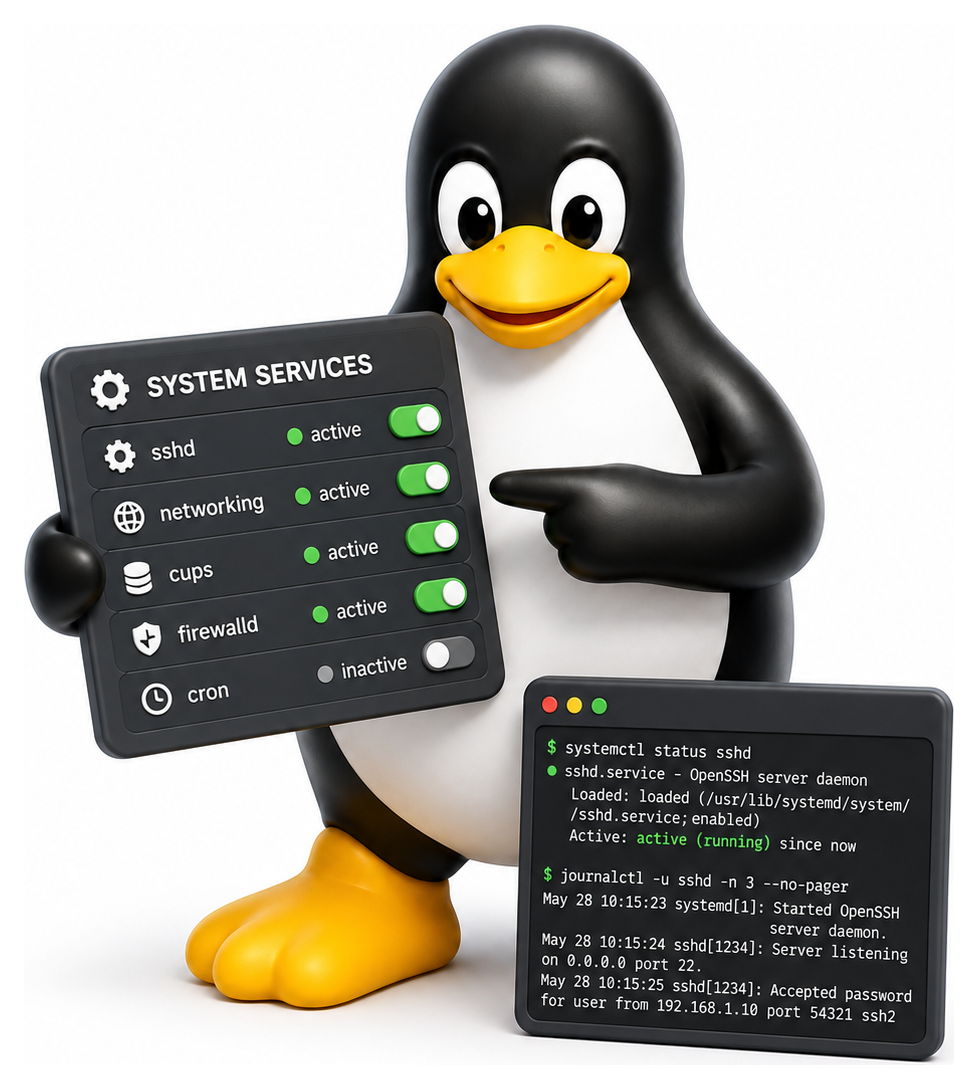
Somewhere between the kernel starting up and a login prompt appearing on your screen, a surprising amount happens. Filesystems are mounted, network interfaces are configured, services like SSH and the printing system come online, timers are scheduled, swap is activated. The program responsible for orchestrating all of this is called the init system, and it runs as PID 1: the very first user-space process the kernel starts. On almost every modern Linux distribution, the init system is systemd, and learning it is an unavoidable part of becoming a competent Linux user.
- Explain the role of an init system and the historical evolution from sysvinit
- Describe the main systemd unit types and when each is used
- Use systemctl to manage services on a running system
- Query and filter logs with journalctl
- Write a basic systemd unit file for a custom service
The History: sysvinit and Its Scripts
For twenty years, most Unix systems used sysvinit, a descendant of AT&T System V init from the 1980s. It was a tiny program that read /etc/inittab, switched the system into a specific runlevel (a number from 0 to 6 representing a particular set of services), and ran shell scripts from directories like /etc/rc3.d/ to start everything up.
It worked, but it had limitations. Scripts ran sequentially, so boot was slow. Dependencies between services were handled by ordering the script names (S10networking, S20ssh) rather than by declaring them explicitly. If a service failed, you had to restart it by hand. Writing a correct init script was a black art involving PID files, locking, and careful handling of & and nohup.
Upstart (from Ubuntu) and launchd (from Apple) were early attempts to modernise init. But the one that eventually won the Linux world, after a fair amount of controversy, was systemd, started in 2010 by Lennart Poettering and Kay Sievers at Red Hat.
Table 13.1: systemd vs sysvinit
| Aspect | sysvinit | systemd |
|---|---|---|
| Boot order | Serial scripts in /etc/rc*.d | Parallel, dependency-driven |
| Unit format | Shell scripts | Declarative INI files |
| Service tracking | PID files (unreliable) | Cgroups |
| Logging | syslog files | Structured journal (journalctl) |
| Timers | cron (separate daemon) | Built in (.timer units) |
| On-demand activation | inetd (separate) | Built in (.socket units) |
| Boot speed | Slower | Faster (parallelism) |
| Portability | All Unix | Linux only |
What systemd Does (and Why It Is Controversial)
systemd took a radically different approach. Instead of shell scripts running one at a time, it would be a single binary program that knew about all the services on the system, started them in parallel whenever their dependencies were satisfied, monitored them continuously, restarted them if they crashed, and collected their logs.

This was, by any measure, a big improvement. Boot times dropped dramatically. Service configuration became declarative and consistent. Dependencies became first-class. Parallel startup was automatic.
But systemd also grew, absorbing responsibilities that old-school Unix types considered inappropriate for an init system: log management (journald), network configuration (networkd), DNS resolution (resolved), login session tracking (logind), device hot-plug (no longer udev but integrated), time synchronisation (timesyncd). Critics complained that systemd was violating the Unix philosophy of small composable tools. Defenders answered that the old separate tools had accumulated baroque interfaces and bugs that were easier to fix by rewriting them together.
The debate was heated, personal, and at times bitter. Debian held a formal vote in 2014 and chose systemd. A small fork called Devuan continued with sysvinit. By 2020 essentially every major distribution had standardised on systemd, and the controversy had mostly settled. You can still install alternatives on some distributions (Artix, Alpine, Void), but for the overwhelming majority of Linux users, systemd is the init system.
Units: The systemd Object Model
Everything systemd manages is a unit. There are several types of units, each identified by a file extension. A .service unit is the one you will meet most often. It describes how to start a program, how to stop it, what it depends on, and how it should be restarted.
A .target unit bundles a set of other units so they can be started together. The traditional sysvinit runlevels map onto targets: multi-user.target is the familiar text-mode multi-user system, graphical.target is the same plus a display manager.
Table 13.2: systemd unit types
| Extension | What It Represents |
|---|---|
| .service | A long-running or one-shot program |
| .socket | A listening socket that activates a service on demand |
| .timer | A cron-like schedule that triggers another unit |
| .mount | A filesystem mount point |
| .automount | Mount a filesystem on first access |
| .swap | A swap area |
| .path | Watch a filesystem path for changes |
| .target | Grouping unit (roughly replaces runlevels) |
| .device | Kernel device, autogenerated |
| .slice | A cgroup for resource management |
| .scope | A group of externally created processes |
systemctl: The Main Interface
systemctl is the command you use to talk to systemd. Almost everything a sysadmin used to do by editing init scripts is now a systemctl subcommand.
sudo systemctl start nginx              # start a service
sudo systemctl stop nginx               # stop it
sudo systemctl restart nginx            # stop and start
sudo systemctl reload nginx             # re-read config without dropping connections
sudo systemctl enable nginx             # start automatically at boot
sudo systemctl disable nginx            # do not start at boot
sudo systemctl enable --now nginx       # enable and start right now

systemctl status nginx                  # is it running? show recent logs
systemctl is-active nginx               # yes/no
systemctl is-enabled nginx              # enabled/disabled

systemctl list-units                    # all active units
systemctl list-units --type=service     # only services
systemctl list-unit-files               # every known unit and its state
systemctl --failed                      # units that failed to start
The status output is particularly rich:
● nginx.service - A high performance web server
     Loaded: loaded (/lib/systemd/system/nginx.service; enabled)
     Active: active (running) since Tue 2026-04-09 08:14:03 BST; 2h ago
       Docs: man:nginx(8)
    Process: 1234 ExecStartPre=/usr/sbin/nginx -t -q -g daemon on;
    Process: 1235 ExecStart=/usr/sbin/nginx -g daemon on;
   Main PID: 1236 (nginx)
      Tasks: 3 (limit: 4915)
     Memory: 8.7M
        CPU: 234ms
     CGroup: /system.slice/nginx.service
             ├─1236 nginx: master process /usr/sbin/nginx
             └─1237 nginx: worker process

Apr 09 08:14:03 laptop systemd[1]: Starting A high performance web server...
Apr 09 08:14:03 laptop systemd[1]: Started A high performance web server.
You can see the service's description, load state, activity state, the commands that started it, the main PID, resource usage, the cgroup holding all its processes, and the most recent log lines all at once. Compare that with the cryptic output of old init script status checks, and the improvement is obvious.
Table 13.3: Essential systemctl commands
| Command | Action |
|---|---|
| systemctl start unit | Start a unit now |
| systemctl stop unit | Stop a unit now |
| systemctl restart unit | Stop then start |
| systemctl reload unit | Ask unit to re-read config |
| systemctl enable unit | Start automatically at boot |
| systemctl disable unit | Do not start at boot |
| systemctl enable --now unit | Enable and start in one step |
| systemctl status unit | Show status + recent logs |
| systemctl is-active unit | Is it running? |
| systemctl is-enabled unit | Is it enabled? |
| systemctl list-units --type=service | All loaded services |
| systemctl list-unit-files | All known unit files |
| systemctl daemon-reload | Reload unit files after editing |
| systemctl cat unit | Print effective unit file |
| systemctl edit unit | Create a drop-in override |
Writing a Unit File
Custom systemd unit files live in /etc/systemd/system/. A minimal service file looks like this:
[Unit]
Description=My Custom Worker
After=network-online.target
Wants=network-online.target

[Service]
Type=exec
User=worker
Group=worker
WorkingDirectory=/opt/myworker
ExecStart=/opt/myworker/bin/run
Restart=on-failure
RestartSec=5

[Install]
WantedBy=multi-user.target
Three sections:
[Unit]: metadata and dependencies.After=orders this unit after another;Wants=expresses a soft dependency.[Service]: how to run the program.Type=execmeans systemd considers the service started once the binary has been successfullyexec()'d. This is the modern preferred default, subtly stricter than the olderType=simple(which considers the service started the momentfork()returns, before exec). Other types includeforking,oneshot, andnotify.ExecStart=is the command.Restart=tells systemd how to react if it dies.[Install]: where the unit plugs in when youenableit.WantedBy=multi-user.targetmeans "when the system enters multi-user mode, also start me".
After dropping the file into place, you tell systemd to re-read the unit directory and then enable and start your new service:
sudo systemctl daemon-reload
sudo systemctl enable --now myworker
sudo systemctl status myworker
Table 13.4: Common sections of a .service unit
| Section | Contains |
|---|---|
| [Unit] | Description, dependencies (After, Requires, Wants) |
| [Service] | How to run it: ExecStart, Type, User, Restart |
| [Install] | Where to link it: WantedBy=multi-user.target |
Table 13.5: Service Type= values
| Type | Meaning |
|---|---|
| simple | ExecStart is the main process (default) |
| exec | Like simple, but considered started once exec() returns |
| forking | Program forks and parent exits (classic daemon) |
| oneshot | Runs to completion; unit is 'active' while running |
| notify | Program calls sd_notify() when ready |
| dbus | Ready when it takes the given D-Bus name |
| idle | Like simple, but delays until others are done |
Timers: Cron Replacement
For decades, scheduled tasks on Unix were the domain of cron. Systemd provides a modern alternative: timer units. They are a little more verbose than cron, but they integrate with the rest of systemd, respect dependencies, run missed jobs when the machine wakes from sleep, and produce logs in the journal.
Create two files, backup.service and backup.timer:
# /etc/systemd/system/backup.service
[Unit]
Description=Nightly backup

[Service]
Type=oneshot
ExecStart=/usr/local/bin/backup.sh
# /etc/systemd/system/backup.timer
[Unit]
Description=Run backup nightly

[Timer]
OnCalendar=*-*-* 03:00:00
Persistent=true

[Install]
WantedBy=timers.target
sudo systemctl enable --now backup.timer
systemctl list-timers
Persistent=true means that if the machine is off at 03:00, the job will run the next time the machine is on. Try telling cron to do that.
journalctl: The Logs
Systemd collects the stdout, stderr, and syslog output of every service into a binary log file managed by journald. The client tool is journalctl.
journalctl                              # everything, from oldest to newest
journalctl -e                           # jump to the end
journalctl -f                           # follow (like tail -f)
journalctl -u nginx                     # only nginx logs
journalctl -u nginx --since "1 hour ago"
journalctl -p err                       # only errors and worse
journalctl -k                           # kernel messages (dmesg equivalent)
journalctl --since "2026-04-01" --until "2026-04-09"
journalctl -u nginx -o json             # machine-readable output
The binary format is sometimes criticised, since you cannot read it with cat, but it enables rich metadata (per-message unit, user, priority, timestamps with sub-second precision) and fast structured queries. Most distributions keep the traditional plain-text /var/log/syslog alongside the journal for compatibility, but the journal is where the detail lives.
Targets: The New Runlevels
Instead of sysvinit's numbered runlevels, systemd has named targets. The most important ones. You can set the default target:
sudo systemctl set-default multi-user.target
This is how you turn off the graphical display manager on a server, for example. You can also jump between targets at runtime with systemctl isolate.
Table 13.6: Targets and their sysvinit equivalents
| Target | Runlevel | Meaning |
|---|---|---|
| poweroff.target | 0 | Halt the system |
| rescue.target | 1 / S | Single-user mode |
| multi-user.target | 3 | Multi-user, no GUI |
| graphical.target | 5 | Multi-user + display manager |
| reboot.target | 6 | Reboot the system |
| emergency.target | (none) | Minimal shell, root filesystem read-only |
Socket Activation
One of systemd's cleverest features is socket activation. A service that uses it does not need to be running all the time; systemd listens on its socket for you, and when a connection comes in, it starts the service and hands over the socket. This mirrors the old inetd idea but modernises it. Services that support socket activation start faster, use less memory when idle, and can be restarted cleanly without dropping in-flight connections.
Cgroups and Resource Limits
Every systemd-managed service runs inside its own cgroup: a kernel mechanism for grouping processes and constraining their resources. This means you can declaratively limit a service's CPU, memory, disk I/O, and network usage:
[Service]
MemoryMax=512M
CPUQuota=50%
IOWeight=10
Systemd will translate these into cgroup controls for you. If a service hits its memory limit, only that service is killed, not your whole machine. This is a practical, hard-won improvement over the old world where a runaway Java process could bring down a server overnight.
(Older documentation will show MemoryLimit=, which used cgroup v1 semantics and has been deprecated in favour of MemoryMax= on cgroup v2. Use MemoryMax= in new unit files; systemd still accepts the old name but will warn.)
When Things Go Wrong
A few survival tips.
Service failed to start? systemctl status name.service and look at the last few log lines. They usually tell you exactly what went wrong.
Unit file not taking effect? You forgot sudo systemctl daemon-reload after editing.
Boot is slow? systemd-analyze blame sorts units by how long they took to start.
Can't get into the system? Append systemd.unit=rescue.target to the kernel command line in GRUB for a minimal rescue shell.
systemd is a large, opinionated piece of software, and there is no avoiding it on modern Linux. Treated with respect, it is also a genuinely powerful improvement over the init systems it replaced: clean, consistent, fast, and observable. Spend an evening with its man pages (man systemd.unit, man systemd.service, man systemd.timer) and you will never again feel confused when someone hands you a Linux box in trouble.
