ranger
A console file manager with vi keybindings.
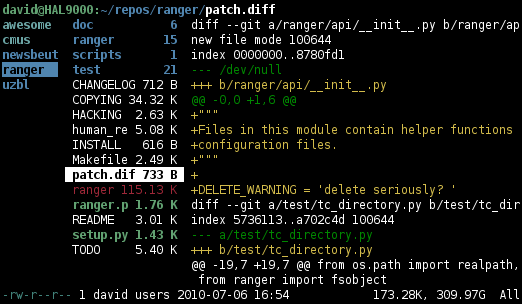
ranger displays the directory tree as a Miller-column layout inside a terminal: the parent directory, the current directory, and a preview of the highlighted file. Navigation uses vi-style keybindings, and the tool integrates with system commands for previews (image previews via w3m or kitty's protocol, PDF previews via pdftotext, syntax-highlighted text previews).
The configuration system uses Python: the core is in Python and the user's configuration is more Python. Custom commands, keybindings, file-type associations, and bookmarks are all defined in dot files under ~/.config/ranger.
ranger is a popular choice for users who prefer to live inside tmux and SSH sessions. Where Midnight Commander goes for a "two-pane orthodox" model, ranger's "current directory plus preview" feels closer to a file dialog. It is licensed under GPL-3.0 and packaged in most major Linux distributions. Several forks (lf, nnn, vifm, broot) take similar ideas in slightly different directions.
Install
Debian/Ubuntu: sudo apt install ranger
Fedora/RHEL:   sudo dnf install ranger
Arch:          sudo pacman -S ranger
macOS:         brew install ranger
Authors
- The ranger team
