htop
An interactive process viewer for the terminal.
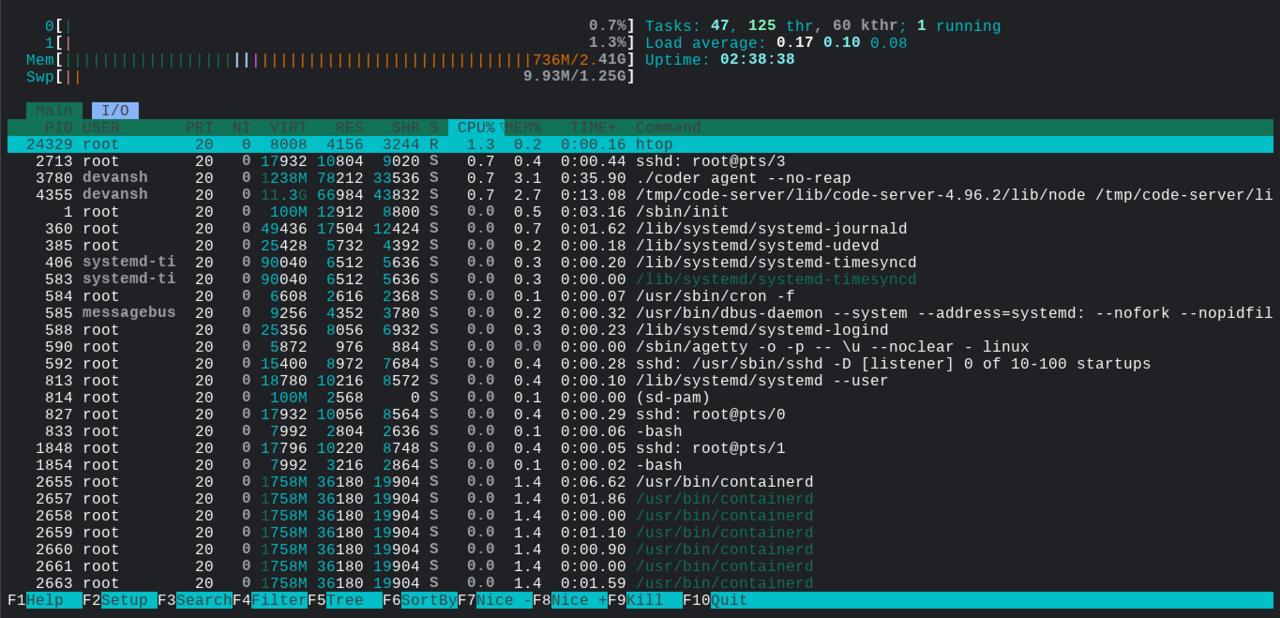
htop displays running processes as a colour-coded list with tree view, multi-column sorting, mouse support, in-place renicing, search, and filtering. It is a friendlier replacement for the venerable top utility and is one of the first commands many Linux users install on a fresh system.
Hisham Muhammad released the first htop in 2004 while at PUC-Rio in Brazil. The codebase later moved to community maintenance, and htop now has a more active development pace than its first fifteen years saw. The newer btop project, by Aristocratus, takes a similar idea further with a more graphical terminal UI and better network/disk visualisation.
htop pairs well with ps and top in any sysadmin's toolkit. The classic pattern is "ssh into a slow machine, run htop, sort by CPU or memory" to see what's saturating the system. The mouse support, in particular, makes interactive process management much more pleasant than the keyboard-only top.
Install
Debian/Ubuntu: sudo apt install htop
Fedora/RHEL:   sudo dnf install htop
Arch:          sudo pacman -S htop
macOS:         brew install htop
Authors
- Hisham Muhammad (original author)
- htop development team
