GParted
A graphical partition editor.
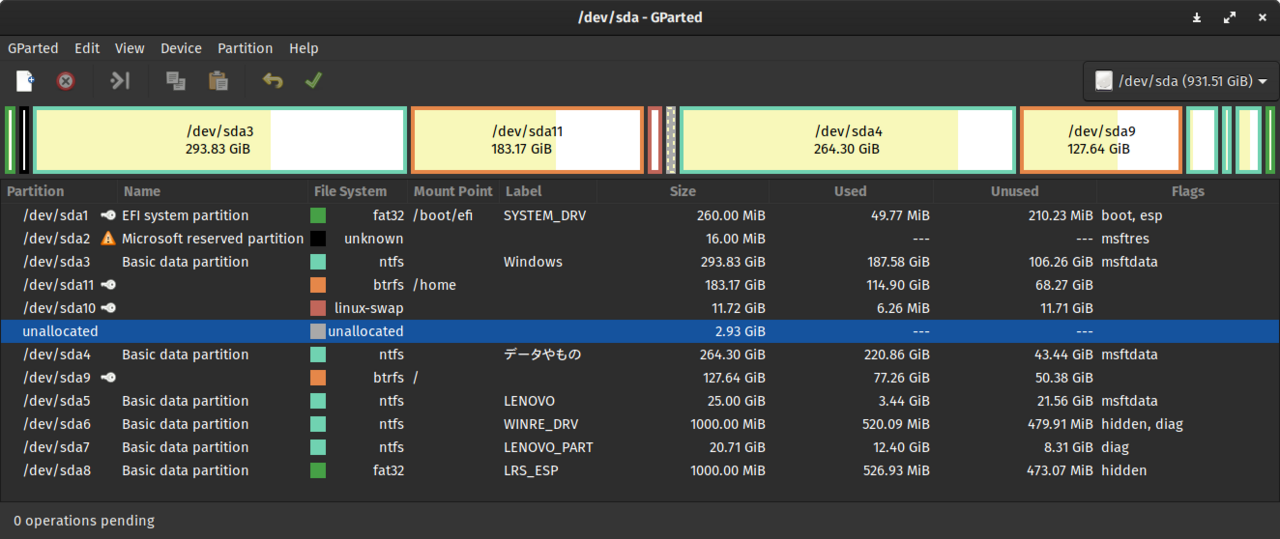
GParted is a GTK front-end to the libparted partitioning library. It can create, delete, resize, move, copy, and check partitions on most popular file systems including ext2/3/4, Btrfs, NTFS, FAT, exFAT, XFS, JFS, ReiserFS, and HFS+. The GUI surfaces operations as a queue that the user reviews and applies, which gives a chance to back out before destructive operations begin.
GParted Live is a live USB image that lets users repartition the disk that contains their running system — which is often the actual situation where you need GParted, since you cannot resize a mounted root filesystem. The Live image fits on a small USB stick and boots into a minimal X session with GParted ready.
Curtis Gedak started GParted in 2004 and has continued as the lead maintainer. The project is GPL-2.0 and is one of the more universally-available "Linux disk-management tool" options. For most users GParted Live is a one-time tool — used during initial partitioning or when reorganising disks — but it is the canonical tool for that job.
Install
Debian/Ubuntu: sudo apt install gparted
Fedora/RHEL:   sudo dnf install gparted
Arch:          sudo pacman -S gparted
Authors
- Curtis Gedak (creator)
- GParted project
